- free
- no account
- nothing uploaded
wplace converter: any image, as wplace pixels.
Choose a picture, set the size, pick all 63 colors or the 31 free ones, and download the PNG. The count of every color and the time it takes to paint come with it.
- Floyd-Steinberg dithering, on or off
- Up to 2,000 pixels on a side
- No ads, and the image never leaves this tab
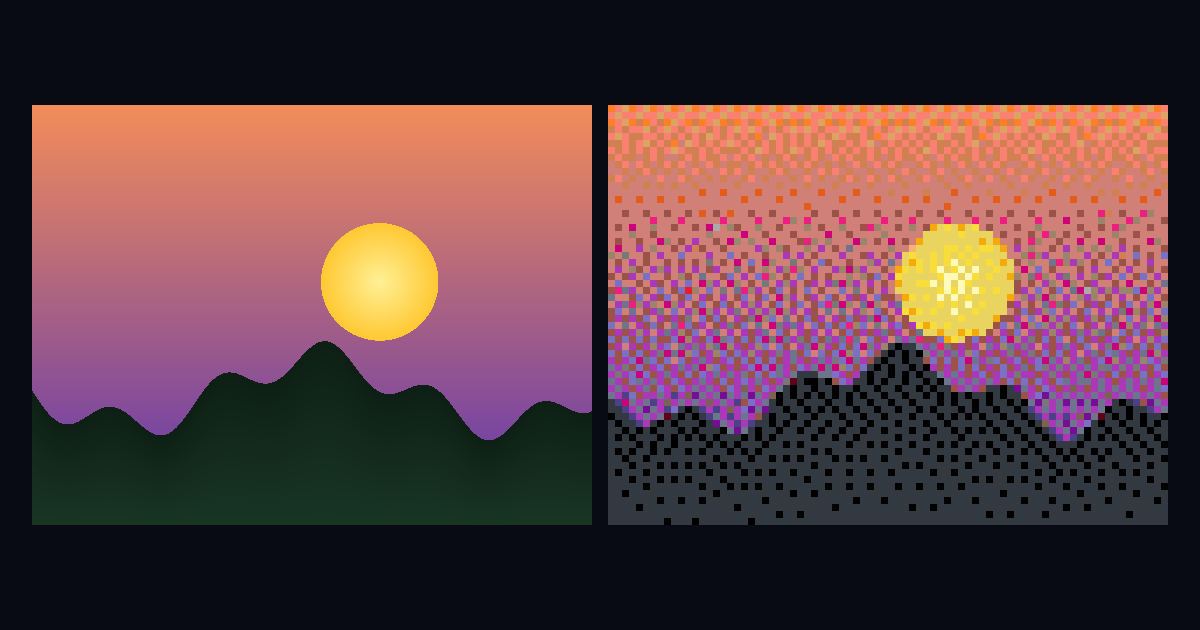
Dithering trades flat areas for texture so gradients and photos survive a small palette. Turn it off for logos, flags and anything with hard edges.
Your pixels appear here, at 64 × 64.
What the settings do
Width and height are the output in pixels, one per canvas pixel; the aspect ratio is kept. The palette is the set of colors every output pixel snaps to, measured in a perceptual color space so a mid-brown lands on a brown rather than on the nearest green. Dithering trades flat color for texture, which photos want and logos do not.
The full palette includes 32 colors that cost 2,000 droplets each on wplace. Mark the ones you own on the palette page and a "my colors" option appears here, so the output uses only what your account can paint.
Getting it onto wplace
Download the PNG and load it into an overlay such as Blue Marble or Overlay Pro at the tile and pixel coordinates where it goes. The overlay shows each pixel's color over the canvas; you still place every one by hand, one charge every 30 seconds.
Getting it onto Place Pixels
Put it on the map. The image lands in your template library, opens over the map, and auto-color picks each pixel's color under the pointer as you paint. There is no cooldown: one save places up to 5,000 pixels.
Common questions
How do I convert an image for wplace?
Choose the image, set the width in pixels, pick the 63-color wplace palette or the 31 free colors, and download the PNG. Each pixel in the file is one pixel on the canvas.
Does the converter use wplace's premium colors?
Only if you choose the full palette. The free-only option uses the 31 colors every account has; the count under the preview says how many pixels landed in paid colors, which cost 2,000 droplets each to unlock.
Should I turn dithering on?
For photos and gradients, yes: it spreads the error between neighboring pixels so skin and sky keep their shading. For logos, flags and line art, no: it turns a flat area into speckle.
How big should a wplace template be?
As small as still reads. At one charge every 30 seconds a 100 by 100 image is 10,000 charges, which is over three days of continuous painting for one person. The cost line under the preview prices any size before you commit to it.
Is my image uploaded anywhere?
No. The conversion runs in your browser and the file stays on your device. The one exception is the button that puts the result on the Place Pixels map, which saves it to your template library there.
Can I paint the converted image on Place Pixels instead?
Yes. Put it on the map and it opens as a template over your street, with auto-color picking each pixel's color as you paint. One save places up to 5,000 pixels, with no cooldown between them.
One shared map of the real world, cut into 10-meter squares. Find the street you live on, pick a color, and paint it.
start painting